

Uses every link you have
Broadband, fiber, private lines, 5G and LTE, and satellite work together as one connection, instead of one link sitting idle as a spare.
The network under everything: gateways, switching, Wi-Fi and the links between your sites.
Powered by: 150+ internet providers

Internet from 150+ providers, with VeloCloud SD-WAN on top to tie it all together. The VeloCloud sections follow below.







 and 150+ regional providers
VeloCloud SD-WAN ties your sites, your clouds and your internet links into one managed network. A small Edge device sits at each site, cloud Gateways connect everything, and one Orchestrator runs the whole thing, so every application takes the best path available.
Powered by
Broadband, fiber, private lines, 5G and LTE, and satellite work together as one connection, instead of one link sitting idle as a spare.
The Edge recognizes more than 4,000 applications and sends voice, video and business apps down the best path, switching in under a second when a link degrades.
Jitter and packet-loss correction keep calls and video clean, even over ordinary internet circuits.
Plug in a new Edge and it activates itself and takes its settings from the Orchestrator. No one needs to configure it on site.
Policies, segmentation and monitoring for every site come from a single console, hosted in the cloud or on your own premises.
An Enhanced Firewall Service adds intrusion prevention, URL filtering and malicious-IP filtering. Arista has also announced Edge Threat Management, planned for general availability in Q4 2026.
Three components do the work: an Edge at each site, cloud Gateways, and the Orchestrator that manages both.
An appliance or virtual machine at each site. It activates itself, measures every link, aggregates them and steers each application over the best one. Edges can be paired for high availability.
Cloud gateways, hosted by VeloCloud or service providers or deployed on premises. They give every Edge a short path to cloud apps and to other sites, and make several links look like one fast connection.
The management console, cloud-hosted or on premises. It handles configuration, provisioning, monitoring, logging, reporting and business policy for every site from one web interface.
An Edge at a headquarters or data center that branches build tunnels to, so they can reach private systems such as servers and phone systems. Hubs can be clustered for more capacity.
A tunnel is a protected path between two points that rides on top of ordinary internet or private links. VeloCloud builds them for you, wrapping traffic in its own multipath protocol (VCMP) so it can measure each path and repair problems on it.
| Tunnel | Runs between | What it is used for | You need it when |
|---|---|---|---|
| Edge to Gateway | Each Edge and one or more cloud Gateways | Reaching cloud and internet applications, and other sites through the cloud, over every link | Almost always. It is built automatically when an Edge is activated. |
| Branch to hub | A branch Edge and the hub Edge at a headquarters or data center | Private systems at the main site, such as servers, applications and an onsite phone system | You keep servers or a PBX at a central site, such as an Asterisk/FreePBX system. |
| Branch to branch | Two branch Edges, directly | Traffic between sites, such as calls and file sharing, without a detour through the hub | Sites talk to each other a lot. Dynamic branch-to-branch needs the Enterprise or Premium edition. |
| To a non-SD-WAN site, via a Gateway | The nearest Gateway and your existing router or firewall (IPsec) | Connecting a site that does not have a VeloCloud Edge, such as a legacy data center or a partner | You want to reach a site you are not ready to upgrade. Add-on in Standard and Enterprise, included in Premium. |
| To a non-SD-WAN destination, via an Edge | An Edge and a cloud network or security service (IPsec) | Direct links to cloud networks such as AWS and Azure, or to cloud security services such as Zscaler | You send internet traffic through a cloud security service, or link a branch straight to a cloud network. |
Hubs carry the most tunnels, which is why they get the larger Edges.
The Edge (VCE) is the device at each site. We pick the model from your throughput, the number of tunnels and whether it sits in a branch, a data center or the cloud.
The newest branch Edges, from a compact Wi-Fi and 5G box to a 10 Gb/s hub.
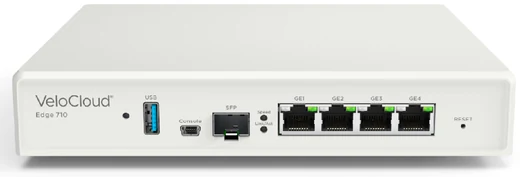
Compact branch Edge with Wi-Fi 6 built in
Best for: small offices, shops and remote sites
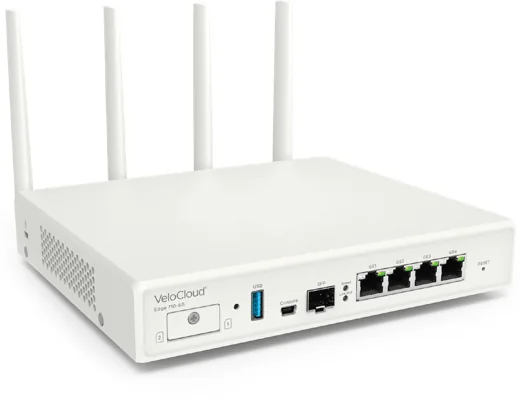
The 710-W with a built-in 5G and LTE modem
Best for: sites that need cellular backup, or cellular as the main link
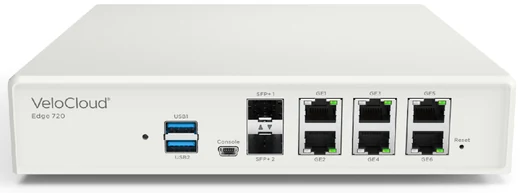
Mid-size branch Edge with multi-gig ports
Best for: larger branches and small hubs
Highest-capacity 700 series Edge
Best for: large branches and regional hubs
1U rack-mount Edges for hubs and data centers, with ports up to 100 Gb/s.

1U rack-mount Edge for hubs and data centers
Best for: data centers, headquarters and regional hubs that many branches connect to
The largest VeloCloud Edge, built for 100 Gb/s
Best for: large data centers and network hubs with very high throughput needs
The same Edge software as a virtual machine, on your own servers or inside a public cloud, with no hardware to ship.
The Edge as a virtual machine on your own servers
Best for: a hub in your data center or colocation, with no extra hardware
The same Edge on a Linux KVM host
Best for: private clouds and hosts that already run KVM
The Edge inside your Amazon VPC
Best for: connecting branches straight into workloads you run in AWS
The Edge inside your Azure virtual network
Best for: connecting branches straight into workloads you run in Azure
The Edge inside your Google Cloud network
Best for: connecting branches straight into workloads you run in Google Cloud
Throughput, tunnel and port figures come from Arista’s published data sheets, measured on specific test setups and software releases. Real results depend on your traffic and the features you turn on. Drawings show port layouts and are not to scale.
Every Connectivity project follows the four steps we use for all of our work: consult, design, partner installation and delivery. We start by listening, then design around what you already have. See how we work
Every category has its own page.
Share how many locations and people you have, and what is not working today. We will come back with a recommendation and a plan.
Talk to us about Connectivity